ChibiChu features
Nine areas commonly discussed by the community. Every entry is marked unverified until it can be checked against an original project announcement.
The project site lists eleven feature areas in total; this library documents nine of them with screenshots shared by the project. ChibiChu Mode is an unofficial fan modification of Gacha Life created by milkachuu with help from Gelu Gacha, and the builds are labelled Beta. Because the creator has not published a fixed feature list tied to a numeric version, availability can change between releases. Treat each entry below as a description of a project preview rather than a promise about every build.
Gacha Life is © Lunime, and this mod is not affiliated with or endorsed by Lunime. ChibiChu Hub is an independent fan guide: we do not host APK, EXE or ZIP files, and the feature descriptions here are organised to help you read the original project announcements, not to replace them.
Screenshot
The project describes custom poses that can be saved for later scenes. A pose change is the safest first experiment in a beta build.
Supported version: Beta build
Project-shared screenshot — see source link.
Guide: Custom PosesScreenshot
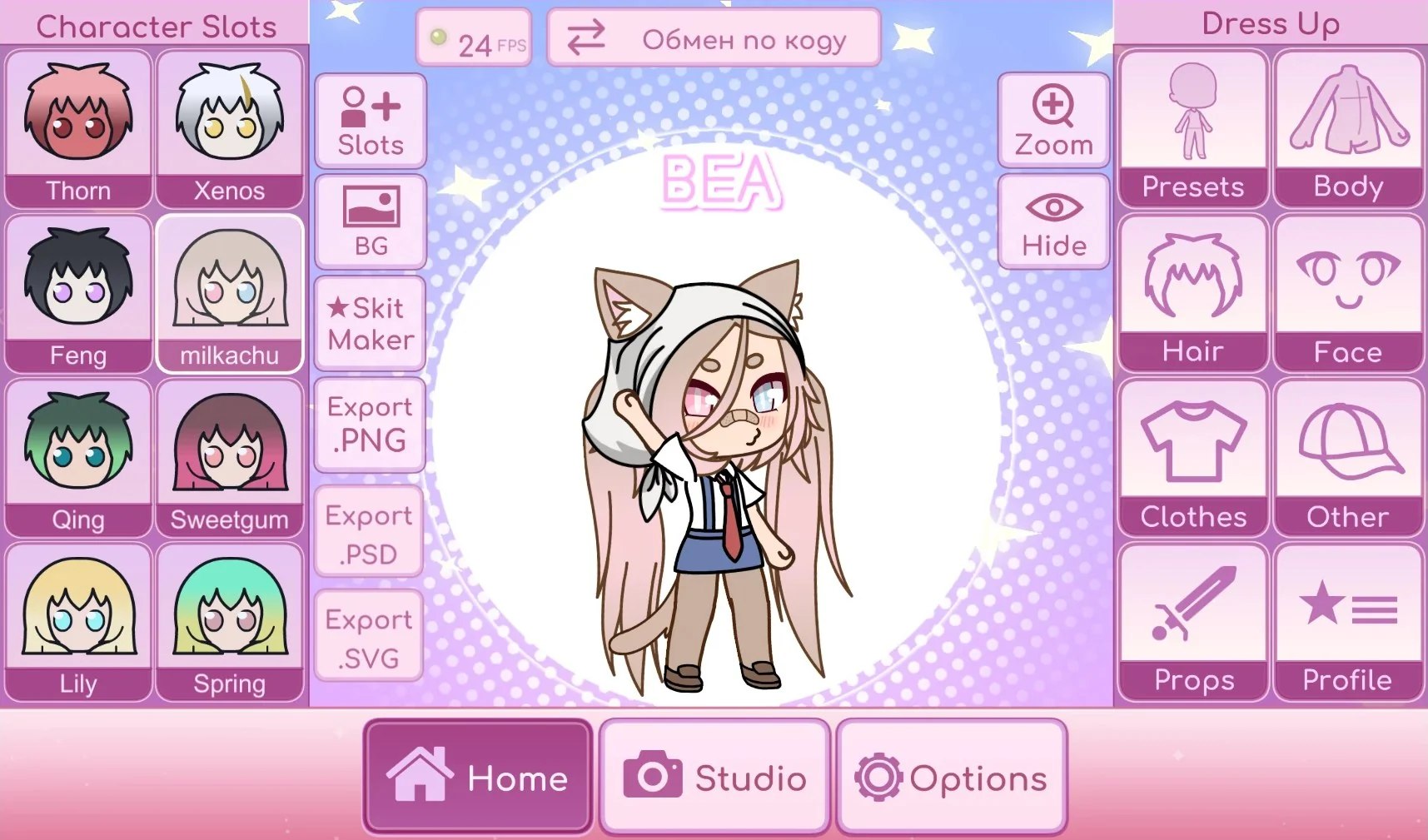
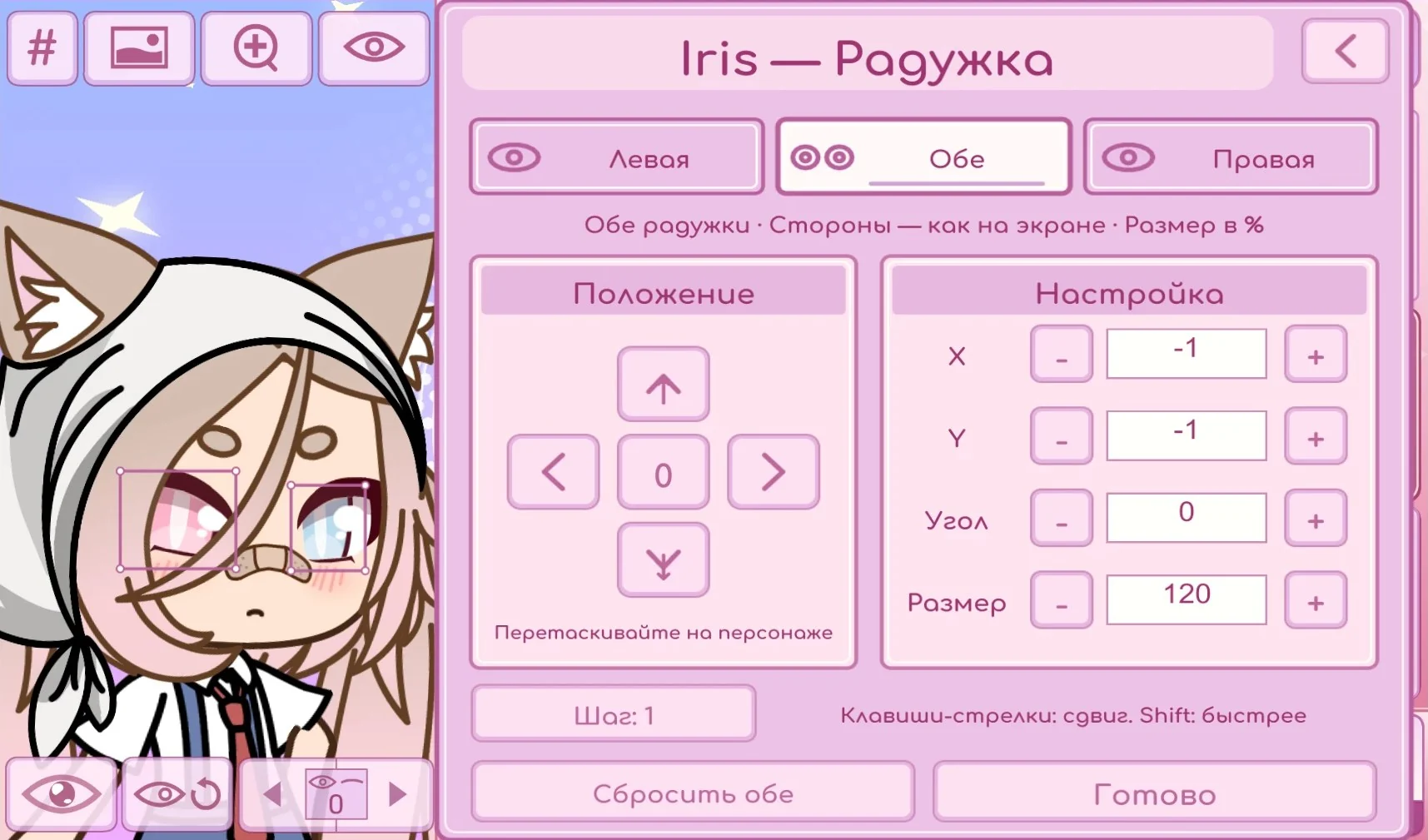
The character editor shows saved slots, Dress Up categories (Hair, Face, Clothes, Body, Props), and an iris preview with position, angle and size controls.
Supported version: Beta build
ChibiChu character editor — creator’s Beta release post (t.me/ChibiChuMod/206).
Guide: Character CustomizationScreenshot
Project previews describe importing images as custom resources. The exact asset types and formats depend on the build you download.
Supported version: Beta build
Iris editor preview shared on the project channel (t.me/ChibiChuMod/195).
Guide: Custom Resource ImportScreenshot
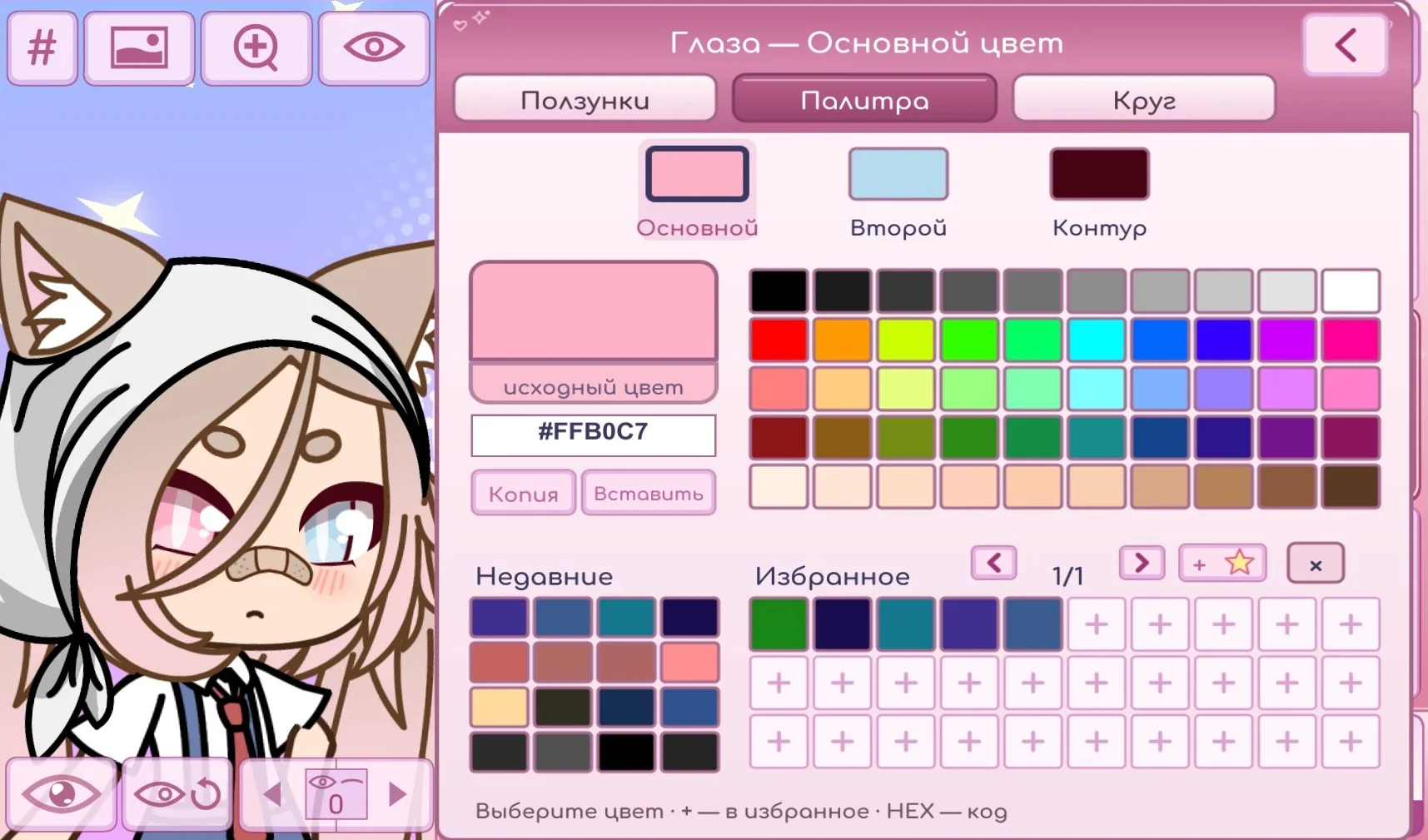
The palette screens show line-colour controls for body, clothes, accessories and face parts, with three palette styles: Original, circular and Gacha Life 2 style.
Supported version: Beta build
Colour palette and line-colour screen from the project site (chibichu.ru).
Guide: Outline & Colour ControlScreenshot
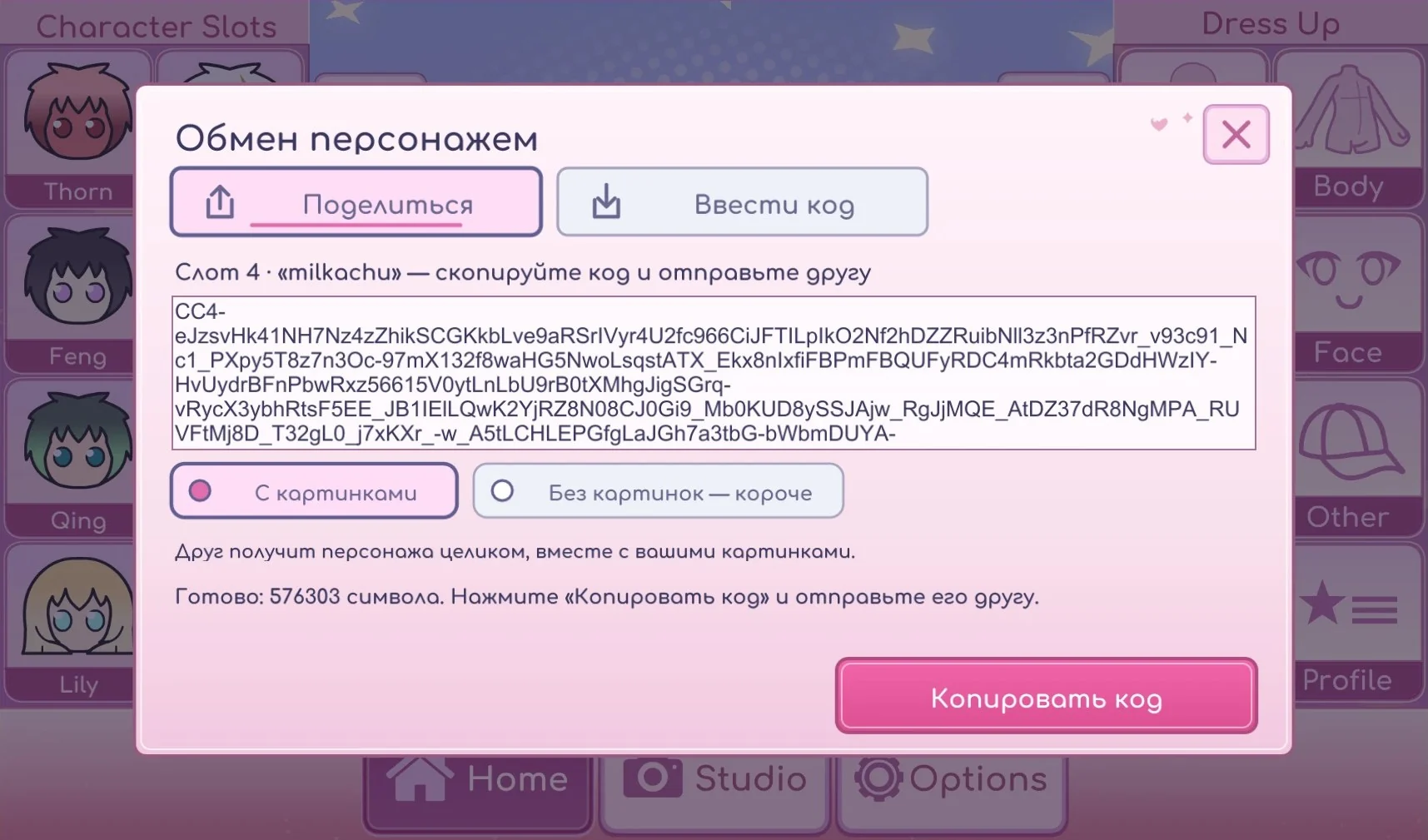
The project lets you export a character as a code and share it with friends, so a design can move between devices without moving a save file.
Supported version: Beta build
Character code sharing screen from the project site (chibichu.ru).
Guide: Character Code SharingScreenshot
The editor preview shows dedicated Export PNG, Export PSD and Export SVG buttons beside the character.
Supported version: Beta build
Export PNG / PSD / SVG buttons in the editor (t.me/ChibiChuMod/206).
Guide: PNG / SVG / PSD ExportScreenshot
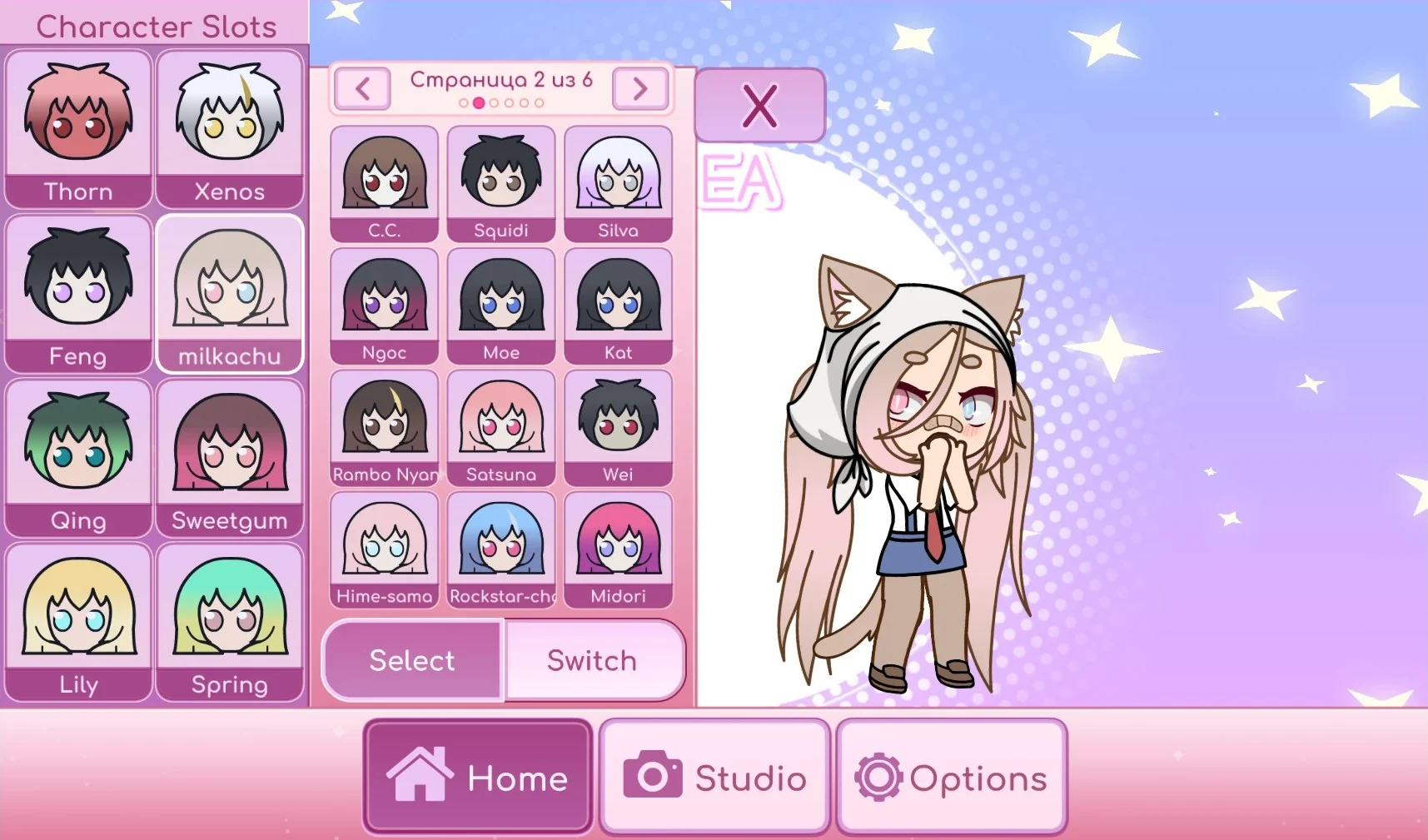
The project describes six additional character pages. The editor screenshot shows saved slots down the left side.
Supported version: Beta build
Character slot pages from the project site (chibichu.ru).
Guide: Extra Character SlotsScreenshot
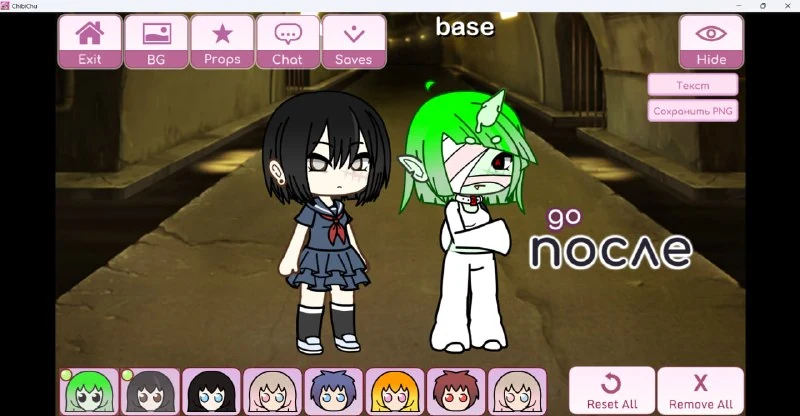
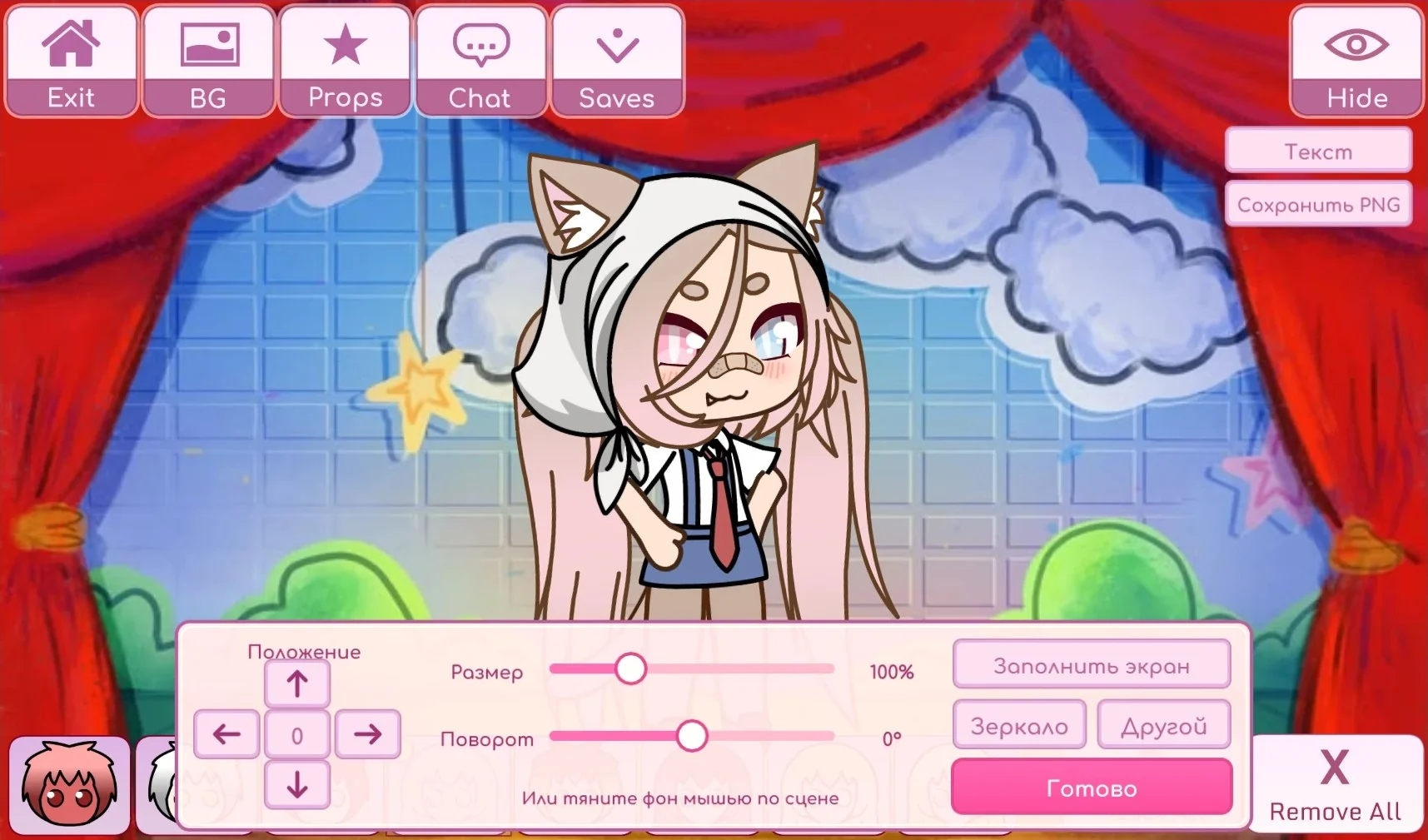
Studio lets you place characters in a scene and resize or rotate the background. A creator-shared screenshot shows two characters together.
Supported version: Beta build
Studio scene with resized/rotated background (chibichu.ru).
Guide: Studio ScenesScreenshot
A small FPS readout (e.g. "24 FPS") is visible in the editor screenshot. Availability can vary between beta builds.
Supported version: Beta build
FPS counter visible in the editor (t.me/ChibiChuMod/206).
Guide: FPS CounterUnverified badge
Means the feature is community-reported, not an official specification.
Supported version
Beta build; check the original post before relying on a feature.
Screenshots
Every image is a real screenshot from the project, with its source credited inline.
The eleven areas described on the project site, summarised in plain language.
| Area | What the project describes |
|---|
| Interface | A redesigned interface. |
| Main menu | A new main menu. |
| Poses | Custom poses that can be saved for later scenes. |
| Export | PSD, PNG and SVG with a transparent background. |
| Sharing | Share a character as a code. |
| Outlines | Line colours for body, clothes, accessories and face parts. |
| Parts | Move and scale individual parts. |
| Palettes | Three styles: original, circular and Gacha Life 2 style. |
| Import | Import custom items from images. |
| Character pages | Six additional character pages. |
| Performance | An FPS counter. |
Availability can change between beta builds; a listed area is not a guarantee for every release.
The project describes three export formats: PNG, SVG and PSD. Exports use a transparent background, which makes them easier to drop into other artwork. The PSD option keeps layers, so a finished character can be opened in a layered editor such as ibis Paint and adjusted part by part instead of being flattened into a single picture.
If you plan to keep editing a character, a layered or vector export is usually more useful than a flat image. Always keep an editable copy of the character in the app itself as a backup, because beta builds can change how exports are produced.
Read the export guide
Custom poses can be saved and reused, which helps when you want the same character in a similar stance across several scenes. The project also describes moving and scaling individual parts, giving finer control over a design without redrawing it.
Project previews show a Studio area where characters can be placed together and the background resized or rotated. These previews document what the creator shared, not testing by this fan site, so check your own build before relying on a specific control.
See the features guide
Outline colour can be set separately for the body, clothes, accessories and face parts. That lets you match a character’s line work to a chosen look instead of accepting a single global outline colour. The project also describes three palette styles: the original palette, a circular palette and a Gacha Life 2 style palette.
Colour controls are a beta feature, so the exact shades and options may differ from one build to the next. Test changes on a copy of a character before applying them to a finished design.
A character can be shared as a code, which is convenient when you want to send a design to a friend without moving a save file. The project also lists six additional character pages, giving more room to keep several designs available at once, and a small FPS counter for checking frame rate while editing.
Importing custom items from images is another listed area. Use only artwork you have the right to use, and back up existing data before importing anything into a beta build.
The word Beta on a release is a label, not a version number, and the creator has not published a numeric version for these builds. That matters for features: an option shown in a project screenshot may be present in one release and missing in another. There is no official embeddable video in the sources we checked, so the cards above use real project-shared screenshots instead of video demos.
When something is missing, re-read the original announcement for that build before concluding the download is faulty. Our guides are written from project previews and are updated when the original sources change; community reports are labelled as such rather than presented as official specifications.
How many features are there?
The project site lists eleven feature areas. This library documents nine of them with screenshots; availability changes between beta builds.
Which export format should I use?
For further editing, PSD keeps layers and SVG is vector; both are more flexible than a flat PNG. Exports use a transparent background.
Can I share a character with a friend?
The project describes sharing a character as a code, so a design can be sent as text without moving a save file.
Are these features confirmed specifications?
They are descriptions of project previews. Because builds are Beta and no numeric version list is published, we do not present them as fixed specifications.
Are the images real screenshots?
Yes. Every image is a real screenshot from the project, with its source credited inline beneath the card.
ChibiChu Hub is an independent fan guide, not the official project. Gacha Life is © Lunime, and ChibiChu Mode is an unofficial fan modification that is not affiliated with or endorsed by Lunime. Screenshots and feature descriptions come from the project’s own pages and Telegram posts; see our disclaimer for details.